Administrator protection and the Windows 11 baselines
From the October update, the Security Compliance Toolkit baselines turn on Administrator protection. How to decide with Intune where it goes on.
- Topic: Intune
- Topic: Windows
- Platform: Windows

7 min readNew

You usually do not want to send a new version of a Win32 app or a changed Settings catalog policy to all Windows devices at once. Until now, a staged rollout meant: assigning groups one by one and keeping track yourself of when the next one is due.
In the week of 21 September 2026, Microsoft released a feature for this in Intune: deployment plans and deployments. In this blog post you read how to create a deployment plan with rings, how to roll out an app or policy with it, and what happens to the assignments while the rings become active.
Deployments roll out an app or policy, which Microsoft calls the payload, in stages through rings. A ring is a group assignment that becomes active on a set date and time. The feature consists of two parts:
💡 Microsoft still marks the feature as public preview: you can use it in production and Microsoft supports it, but for now only for Windows, and it can still change.
Deployments currently support Windows 10 and later, with these payloads:
| Kind | Supported payload |
|---|---|
| Policy | Endpoint security policies, Settings catalog |
| App | Windows app (Win32), Enterprise App Catalog app |
For Win32 and Enterprise App Catalog apps, only the intent Required works; Available and Uninstall are not supported. For Enterprise App Catalog apps, Update with supersedence does work, but Automatically update does not.
Microsoft does not name a separate license requirement on the pages about deployments.
💡 If you put All users or All devices in a ring, that automatically becomes the last ring. You cannot combine those virtual groups with Microsoft Entra security groups in the same ring.
In the overview of the plan you see per ring when it starts relative to the first ring, such as Day 3, Hour 0. Below is an example with three rings, the last of which uses All devices.
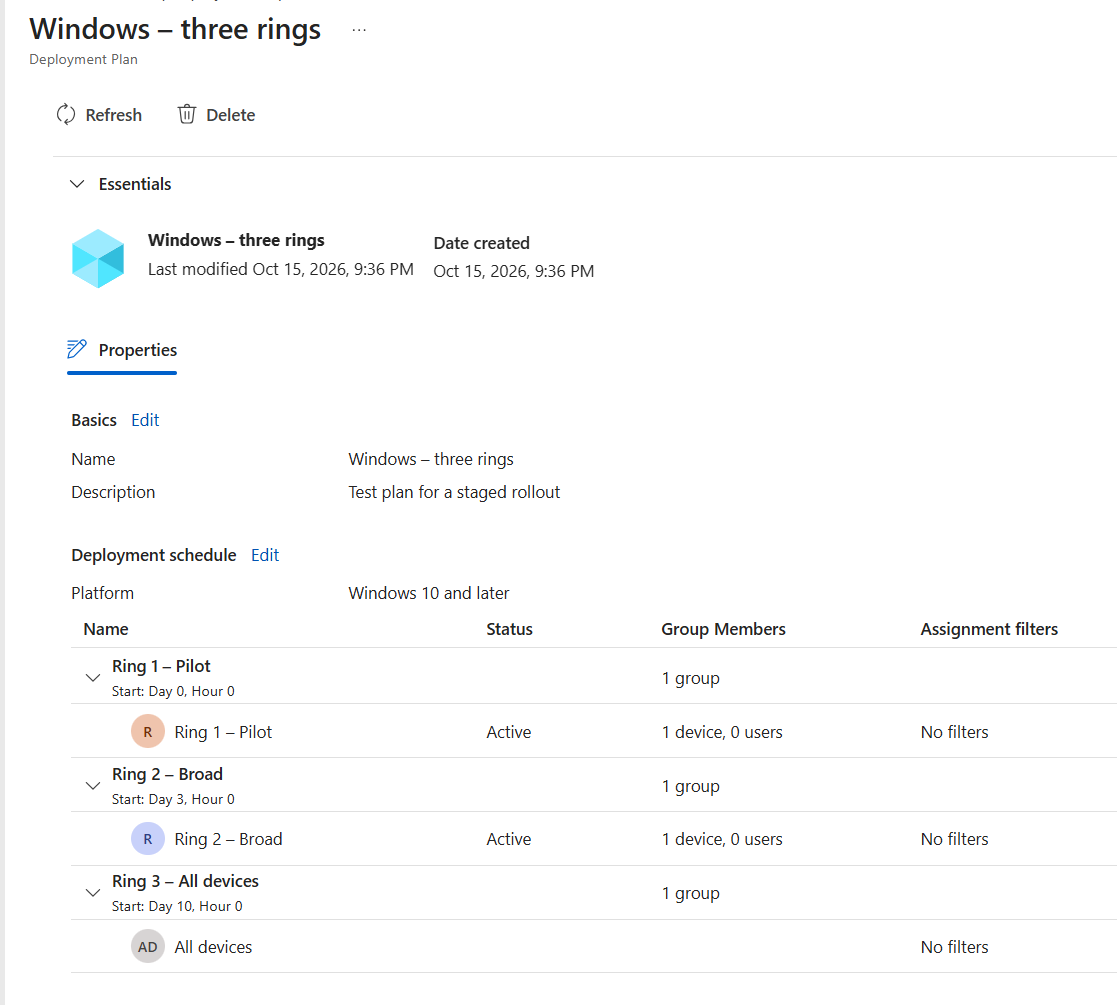
You can change a plan later. Deployments already created with the plan do not change because of that.
If you do not want to use a plan, choose Add rings in step 5 and set up the rings, the start time of the first ring, the wait times and the groups yourself, one time.
A payload can be in only one scheduled or active deployment at a time. After creating it, you can change only the name and description of the deployment, not the payload, the rings, the schedule or the groups.
A deployment works through the payload’s regular assignments. Each ring that becomes active adds its groups as an include assignment (for apps with the intent Required); the groups of earlier rings remain. When the ring with All users or All devices becomes active, that virtual group replaces the earlier include assignments to security groups. Exclusions remain.
Keep these points in mind:
Open the deployment under Devices > Manage devices > Deployments. On the Deployment status tab you see how many rings are completed, have an error or have not started yet, and per ring the status and the start date. The example below is a deployment that has yet to begin.
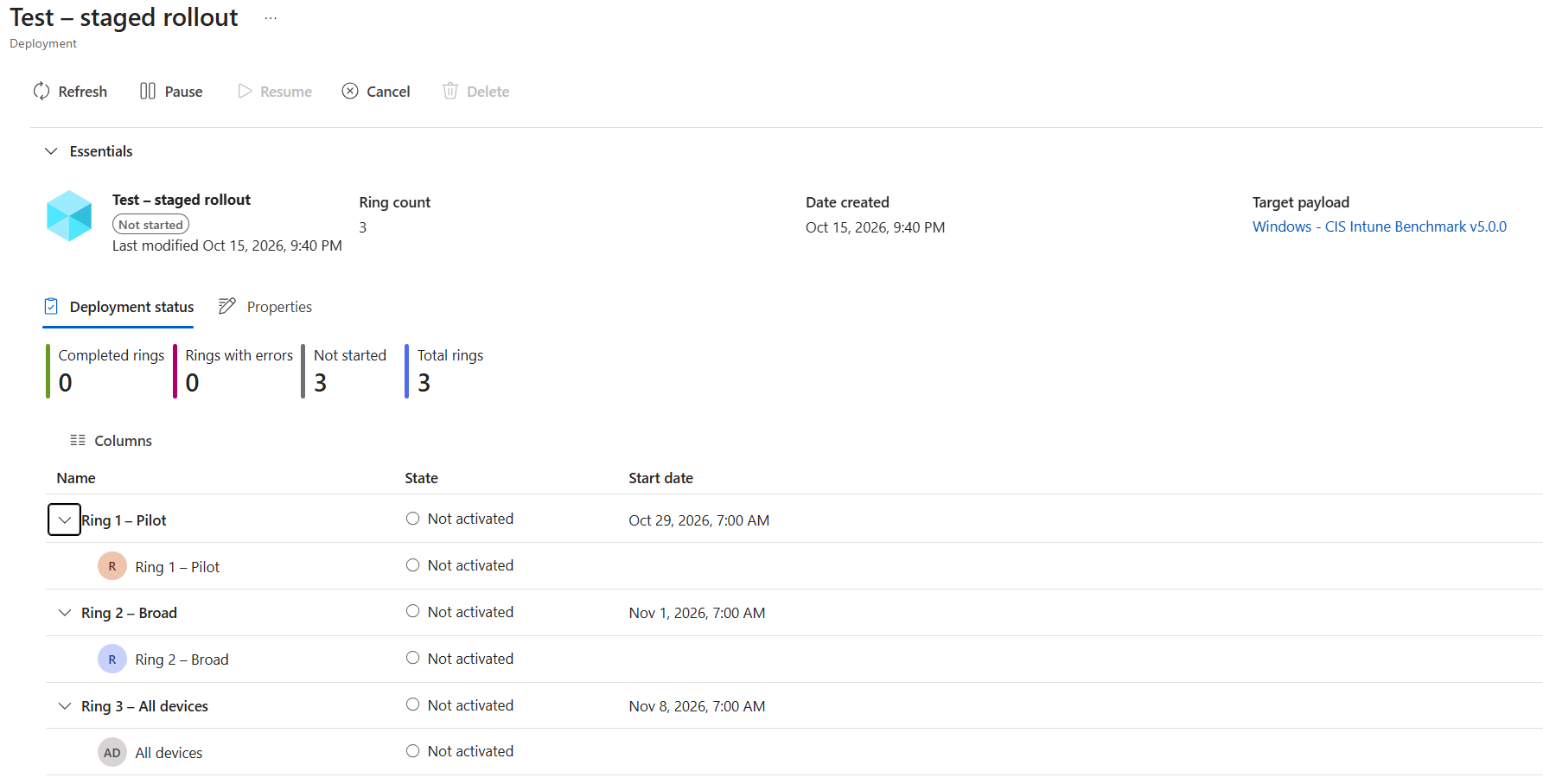
At the top you choose:
Pausing and canceling do not remove assignments of rings that were already active. If you really want to roll back the rollout, change the assignments in the properties of the app or policy itself.
If you use Multi Admin Approval, it applies here too. If an access policy protects the payload type, Create, Resume, Cancel and Delete require approval. A new deployment that is waiting for approval appears in the Deployments list only after it is approved.
Microsoft does not describe a separate notification for users. As soon as a ring becomes active, Intune puts the groups of that ring in the assignments of the app or policy. From that moment the assignment is active and the devices process it like any other assignment, with the ring’s assignment filters and the exclusions. Devices and users that are only in a ring that is not active yet get nothing through the deployment yet.
Deployments record a staged rollout in Intune itself, for now as public preview and currently only for Windows.